Approach
Design Thinking
Services
Web Design
Experience Design
Motion Design
Interaction Design
Webflow Development
Collecting in-person data during the 2019 Catalan independence protests drew me towards reportage design. Starting university that September, the pandemic hit halfway through my first year, making physical reportage impossible. I migrated to digital work, focusing on interface design, though I found myself drawn to the logic and structure behind it more than the visuals. After graduating with a dissertation on historical biases towards underrepresented groups, I joined a design agency where it clicked. UX wasn't just another discipline, it was what I'd been gravitating towards all along. It actually solved recurring client problems. The laws weren't academic theory stuck in textbooks, they were practical tools that worked.
Most projects fail from confidently solving the wrong problem. That insight changed everything.
Philosophy
Good design works independently. The goal is building something clients can own, maintain, and evolve long after the project wraps. Most problems aren't visual, they're structural. Polish can't fix broken thinking about what the thing actually needs to do.
Design should get out of the way. It anticipates what happens after launch, when budgets shift and requirements change. If it only functions when I'm there to support it, I haven't built it properly.
Webflow Development
Building in Webflow with Lumos & Client-First
Using proven frameworks that keep Webflow sites maintainable. Clients can update and evolve systems without needing me around.
Lumos Framework: Component-Based System for Scalable Webflow Projects
Build reusable components once, use them across projects. Modular approach that speeds up development and makes updates straightforward for teams.
Client-First: Webflow's Most Adopted System for Clean, Transferable Projects
Industry-standard naming system for Webflow. Makes code readable for developers and lets clients transfer projects without everything breaking.
(001)
Strategy
I question briefs before executing them. Most projects kick off with a solution already baked in, but the real problem? Usually hiding underneath. This phase is research and competitive analysis. Figuring out what we're actually solving, not just what we've been asked to build. Map out constraints, test assumptions, reframe requirements when the brief doesn't match reality.
I build the initial information architecture here. Not the final structure, just enough to test direction. The output is clarity, not pixels.
Looking at what others in the space are doing, what's working, what's not. Finding gaps and opportunities. Learning from their mistakes so you don't repeat them.
Making sure people can find stuff without getting lost. Structuring content so it makes sense now and still works when the client adds 50 more pages later.
(002)
User Experience
This is where I map how people actually move through things. Create user flows that match how users think, not how the business is organised. Build wireframes to test structure before committing to visuals.
Reduce the choices, make the paths obvious. Strip out unnecessary complexity. If navigation doesn't make sense at this stage, visual design won't fix it later. Foundation first, polish after.
Mapping the path someone takes from landing to completing their goal. Every click, every decision point. Shows where people get stuck before you build anything.
Rough layouts that test if the structure works before adding colour and polish. Fast to make, fast to throw away. Get the bones right first.
(003)
Design
Work in Figma from rough concepts to production-ready UI. Prototyping across fidelities to test fast. Build responsive interfaces and component libraries that developers can implement without handholding. Refine brand identity across touchpoints, keeping it fresh without losing consistency.
Design for real conditions. Slow connections, different devices, life after I'm gone. If the client can't maintain it themselves, the system failed.
Building working versions to test with real people. From quick clickable mockups to near-final interfaces. Test ideas before committing budget and time.
Reusable design pieces that keep everything consistent. Buttons, forms, cards that work the same way everywhere. Build once, use everywhere.
(004)
Interaction
Animation that guides, not decorates. Build micro-interactions and state transitions using GSAP, Lottie, or Rive to help users understand what's happening. Visual feedback for every action, smooth transitions between states.
Done right, animation explains systems that would take paragraphs to describe. Motion with purpose, not flair.
The small moments that give feedback. Button presses, loading states, hover effects. Tiny details that make interfaces feel responsive and alive.
How things change from one mode to another. Empty to filled, loading to loaded, collapsed to expanded. Smooth changes that help people understand what just happened.
Case Studies
Key projects that I’ve helped bring to life
Selected work from projects that shipped. Real problems, real solutions, everything from brief through to launch.
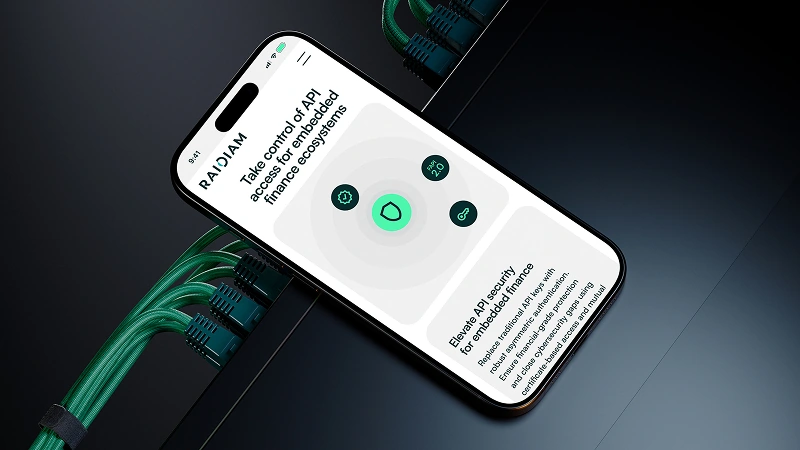
Designing Trust and Clarity for Complex Open Banking Infrastructure Systems
Translating complex open banking infrastructure into clear, accessible design across web and marketing materials for enterprise clients.
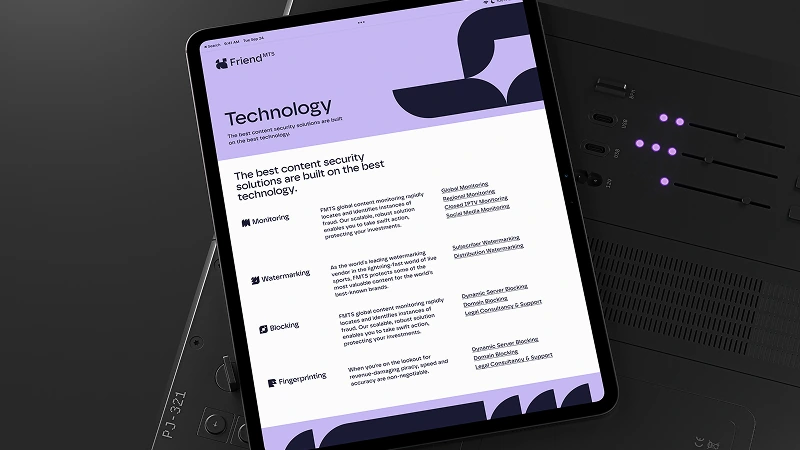
Building a Dynamic Digital Identity for Global Anti-Piracy Technology Leaders
Rebuilding information architecture and brand identity for a global leader in the anti-piracy technology and content security sector.